Turn a paragraph into a diagram
Use Writer’s visual tools when a diagram will explain a process, sequence, comparison, or relationship more clearly than prose.
Create a visual from structured text
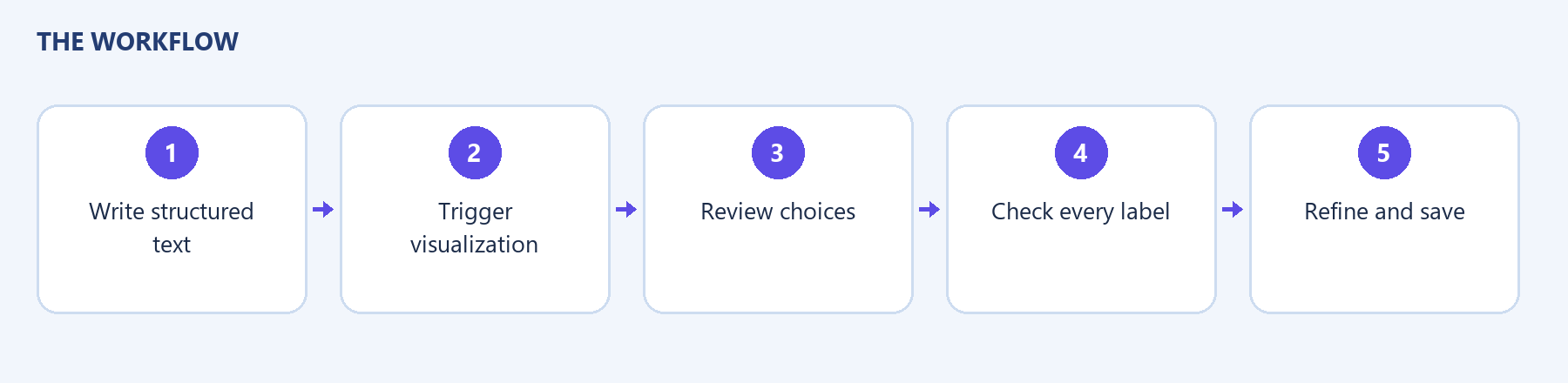
Section titled “Create a visual from structured text”- Write a paragraph with clear steps or relationships.
- Place the cursor in the relevant paragraph or select the text you want to visualize.
- Use the paragraph’s visual trigger. The local gutter button was labeled Ask AI; the visual help text calls it Visualize.
- Allow generation to complete.
- Review the visual and the available variants.
- Choose a suitable variant where offered and check its labels.
- Wait for Saved.
Try:
Review the outline, write the guide, check its screenshots, and publish the approved page.
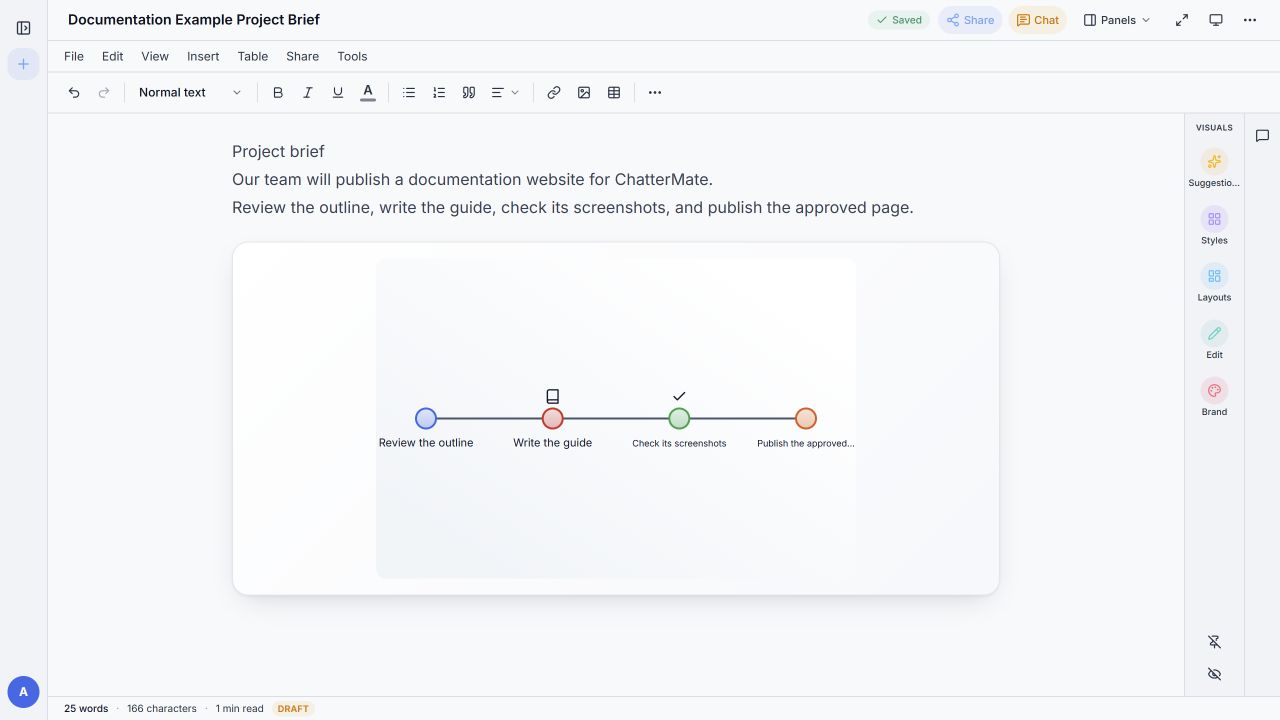
The local test created a timeline-style visual and displayed three variants. The number and layout of variants can differ. Some labels can be shortened to fit; inspect them carefully.
Other entry points
Section titled “Other entry points”The visual help panel describes selecting a paragraph or list, using the margin trigger, or typing / and choosing Visualize. Select an actual command from the menu rather than leaving its name as ordinary text.
| Visual type | Useful for |
|---|---|
| Flowchart | Steps and decisions |
| Timeline | Ordered events |
| Comparison | Two or more alternatives |
| Hierarchy | Parent and child relationships |
| Cycle | A repeating process |
| Mind Map | A central idea with branches |
| List | A set of related items |
| Matrix | A structured grid |
If the result misses a relationship, make the original text more explicit. Do not assume a fixed generation time or four variants on every request. If generation fails, read the message before submitting again.