Prepare an honest career application packet
Career Agent matches your verified experience to a job and prepares an application packet. It does not establish that an application has been submitted. Open Career Agent when available in your workspace.
Prepare the profile and job
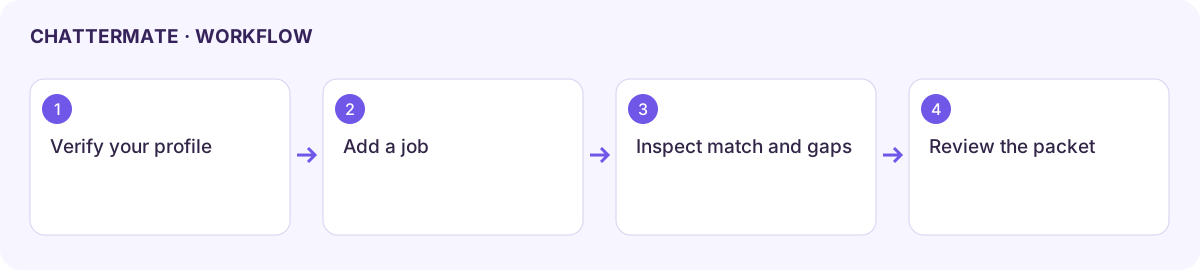
Section titled “Prepare the profile and job”- Create or select a career profile. Enter accurate experience, skills, and preferences in the fields provided.
- If adding a resume, wait for document processing and review the extracted facts before using them.
- Add the job through the job form. Use the employer’s actual role description and official application link where available.
- Select the job to read its match explanation. Treat a match percentage as a comparison aid; check the reasoning and requirements yourself.
- Choose Create truthful application packet with both a profile and job selected.
Review before applying
Section titled “Review before applying”Read Resume suggestions, Gaps to verify, and the packet’s warning. Remove invented accomplishments, credentials, or numbers. A missing qualification should stay a gap rather than become a claim.
Choose Open official application page to continue on the employer’s site. Review that site’s destination and instructions. You remain responsible for reviewing and submitting the final application; packet generation does not complete that step.
Connections and availability
Section titled “Connections and availability”Job-link workflows and partner-connected job search can have different access. Connecting LinkedIn or Indeed does not automatically enable every search or application action. If matching is empty, confirm the active profile, selected job, and processed source documents.
This guide explains the product workflow; it does not promise interview selection or employment outcomes.
Next: connected account workflows.
Workflow at a glance
Section titled “Workflow at a glance”