Find generated content in Library
Library helps you return to generated artifacts such as charts and code. It is useful when you remember a result but do not want to search through every conversation.
Watch the walkthrough
Section titled “Watch the walkthrough”Read the video transcript
Looking for something you generated earlier? Open Library. It brings your saved content together, so you can return to the result without scrolling through every conversation.
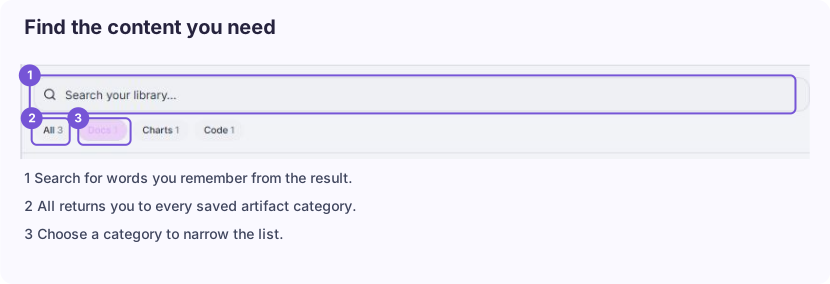
Let's narrow the list with a category, then search for a word from the result. Use whichever clue you remember: the content type or part of its title.
Open the matching artifact. Canvas gives it room beside the conversation, making it easier to read the result and keep the original request in view.
Check the title and read the content before using it. Then look at the available actions. Copy, export, and sharing options depend on the artifact you're reviewing.
Return to Library when you need another result. If you want to understand how this one was created, use its conversation link to revisit the instructions and context.
Open an artifact
Section titled “Open an artifact”- Choose Library in the navigation or side panel.
- Search for the content or choose a category.
- Open the relevant artifact.
- Check its title and contents before editing or exporting it.
The local account showed All, Docs, Charts, and Code filters because those categories had saved artifacts. Your filters and content will depend on what you have generated.
An artifact can include a link to the conversation where it was created. Use that link when you need the original instructions or want to continue the discussion.
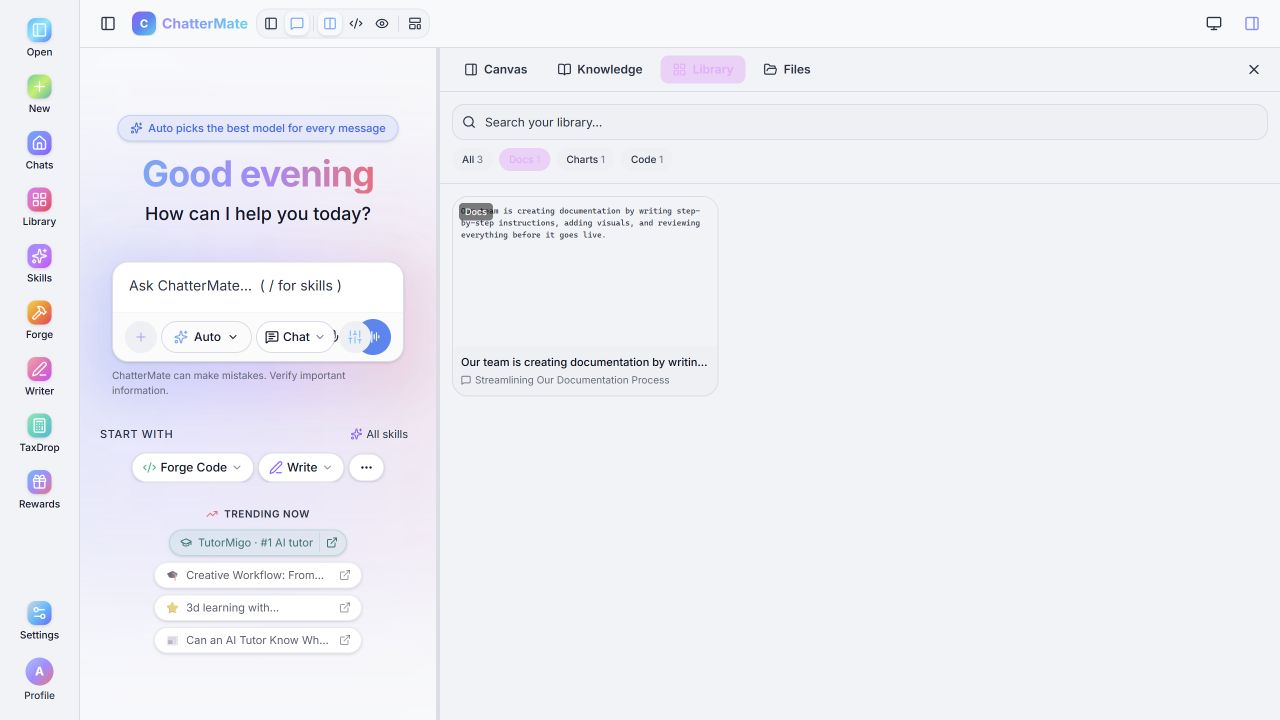
The Docs filter isolates the synthetic example used in this guide.
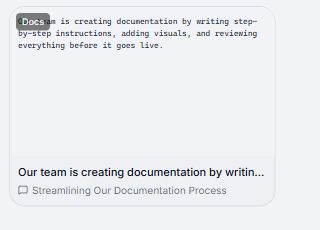
Open the card for the artifact, or its conversation link for the original discussion.
Library and Files
Section titled “Library and Files”Library is an artifact view. Files and attachments may contain different items. If you cannot find something in Library, check the original conversation and the relevant file panel. Writer has a separate document list.
If Library appears empty, check your account and search filters before assuming your work has disappeared. Clear the search query and return to All.
Related: Canvas, Writer documents.