Connect an account and review actions
Connectors let ChatterMate use selected capabilities from supported external services. Availability differs by provider and workspace configuration.
Check availability
Section titled “Check availability”- Open Settings → Connectors.
- Search for the service or choose a category.
- Read its description and capability labels.
- Check whether it says Connect or a message explaining why the provider is unavailable.
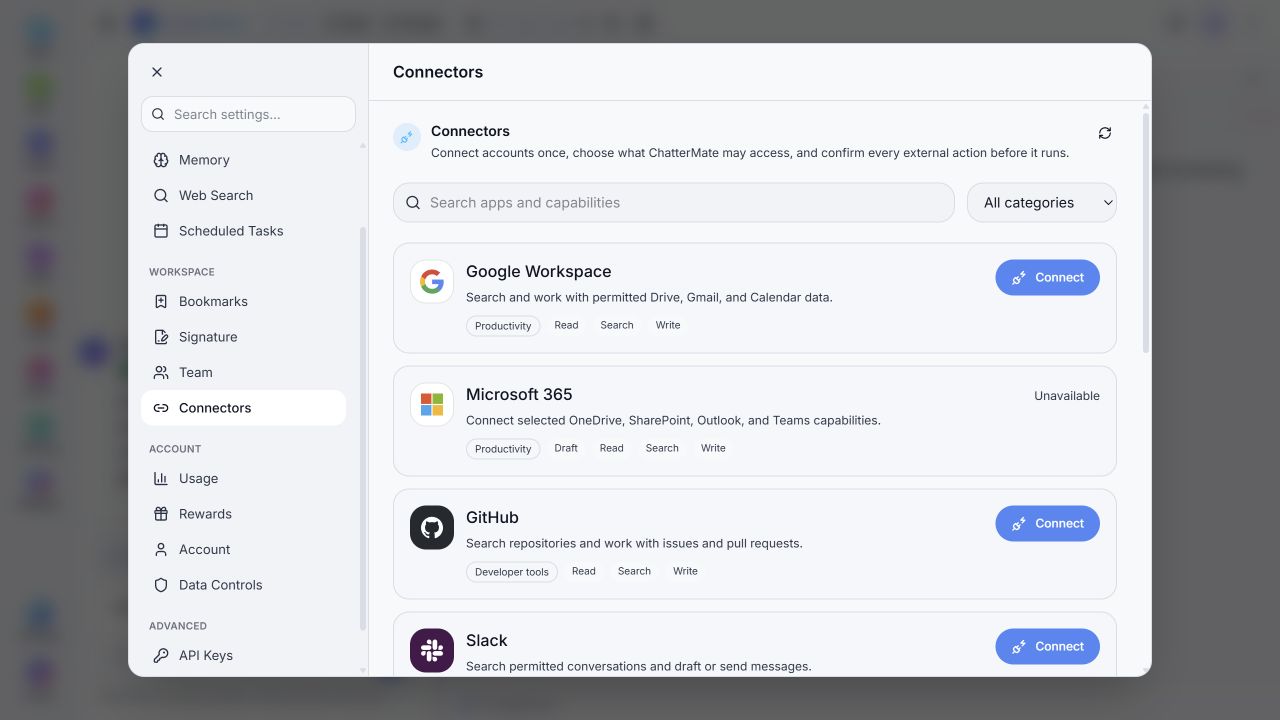
The inspected list included Google Workspace, Microsoft 365, GitHub, Slack, Notion, Linear, Jira, LinkedIn, and Indeed. Some were unavailable. A provider card’s presence is not a promise that every capability is enabled.
Connect and use
Section titled “Connect and use”For a provider that offers Connect, follow its account flow, choose the intended account, and review requested access. Return to ChatterMate and check the connected state and permitted tools.
The local interface states that external actions require confirmation. Before approving an action, review the destination, account, content, and effect. Drafting an email and sending it are separate outcomes.
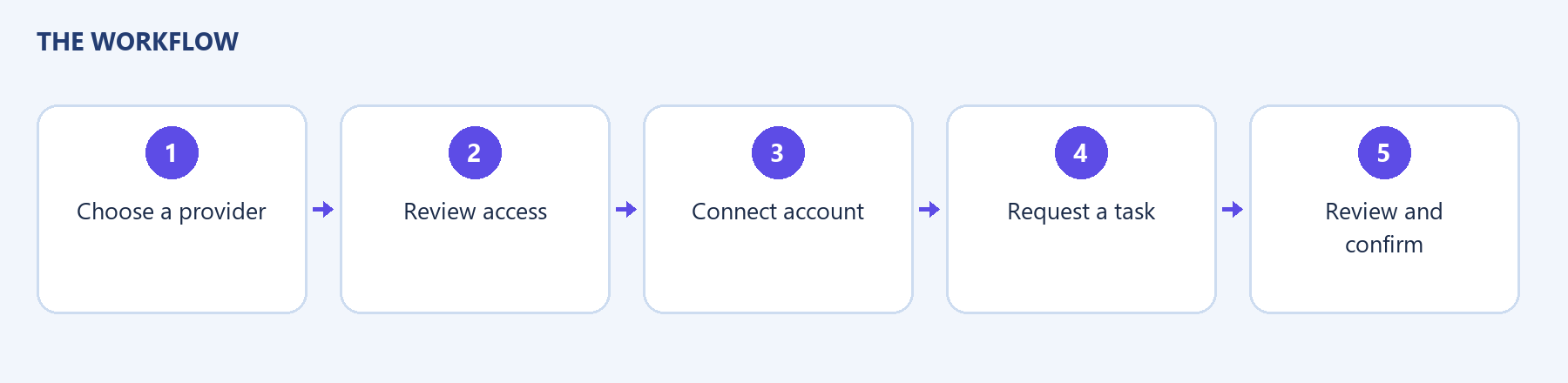
If a provider is unavailable, use an available provider or contact support. If access expires, use the provider’s reconnection flow. Check permission scope when a connected account cannot reach a particular file or workspace.